Help
What do you need to do?
At each stop
Save the pickup or delivery.
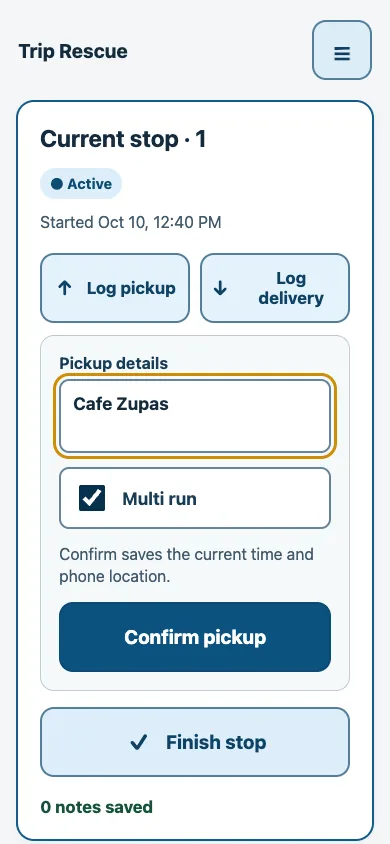
Tap Add stop, then Log pickup or Log delivery. Enter the place or street and confirm. Wait for Saved before leaving.
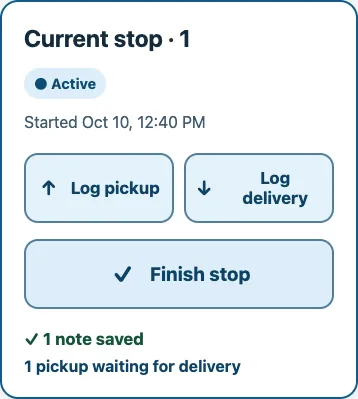
Tap Finish stop when you are done there. Each pickup and delivery has its own stop.
Several deliveries together
Link each delivery to its pickup.
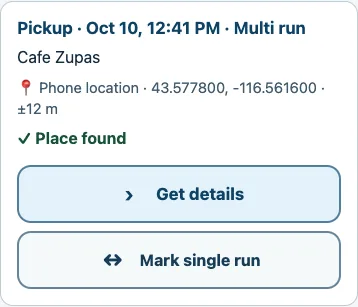
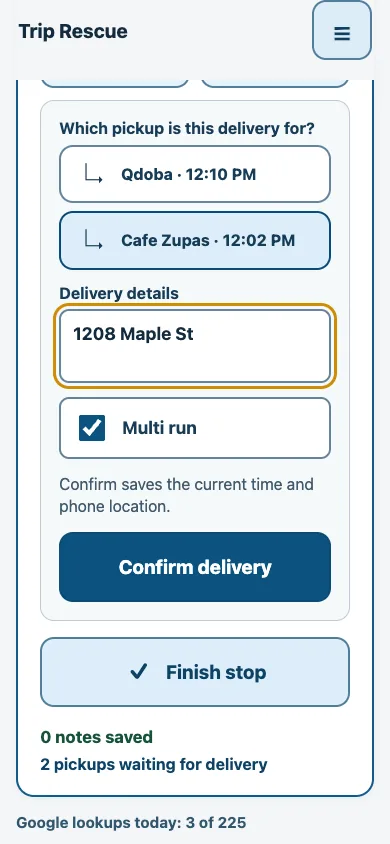
Mark a pickup Multi run when it is part of a batch. At delivery, choose the pickup it belongs to. Trip Rescue keeps that link for your later record.
Earnings do not add up
Find the stop. Copy the facts.
- Check Uber Earnings for the right week and any batch breakdown. One entry may include several deliveries, and a recent trip can take up to 48 hours to appear. Uber's earnings guide shows where to look.
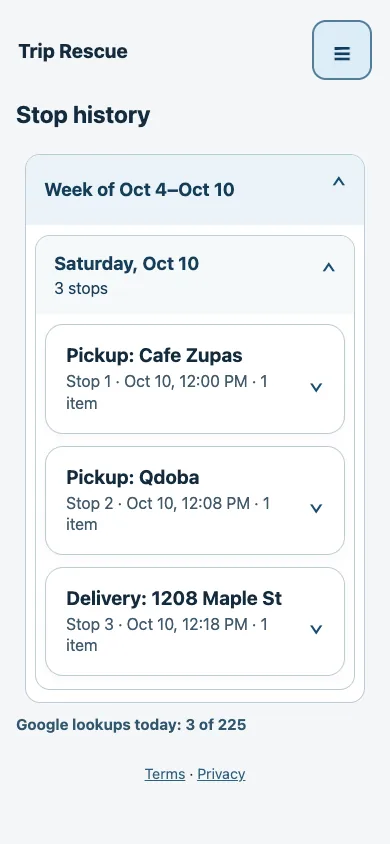
- Open Stop history, choose the delivery, then tap Get details.
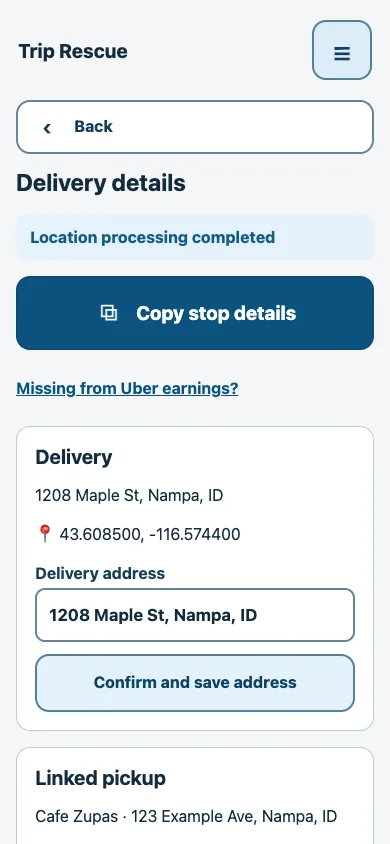
- Check the result and tap Copy stop details. Paste it into Uber's missing-trip help and ask which earnings entry includes that delivery.
Place suggestions and phone pins can be imperfect. Check the address before you share it.
Put it on your iPhone Home Screen.
In Safari, open Trip Rescue, tap Share → Add to Home Screen → Add. Turn on Open as Web App if you see it. See Apple's illustrated steps.
In Chrome, tap Share beside the address bar, then Add to Home Screen. See Chrome's steps.
Quick answers
Why does Trip Rescue ask for my location?
It saves a phone pin when you confirm a pickup or delivery. Allow precise location in your browser. There is no background route tracking. If location fails, check iPhone Location Services and browser permission.
What if I do not have a trip ID?
Give Uber the pickup, delivery, date, time, and pin from your stop. Ask them to find the delivery. Do not guess an ID.
What if Uber says it was paid?
Ask which earnings entry includes the delivery and for its fare breakdown. Compare the pickup, delivery, fee, and tip with your record.
Can I delete a stop?
Yes. Open a finished stop in Stop history and tap Delete this stop. If its pickup is linked to a later delivery, delete the delivery stop first.
How do I cancel?
Open the app menu → Account & billing → Cancel subscription. Access continues until the date shown there. See pricing.
Still need help? hello@mytriprescue.com